
WordPress plugin Web Alchemy
WA Slug Transliteration
Ukrainian and Russian WooCommerce product URLs in Latin characters. Preview, batch processing, and restoration of recent changes.
Before purchasing
Version 1.0.0 limitations
WooCommerce products are processed; categories, pages, blog posts, and variation URLs are not included in this version. The log shows the last 50 entries, not a full export of all changes. Restore applies to the most recently applied bulk operation and skips later manual edits or URLs already in use. Automatic changes made on save are not included in the bulk history.
Tested environment
A clean local installation of WordPress 7.1, WooCommerce 11.1.0, PHP 8.2.30, and MySQL 8.0.45 under OpenServer. Code licensed under GPL-2.0-or-later. The accepted release includes a separate report with distribution checksums.
What's Inside
Readable Latin-script product URLs
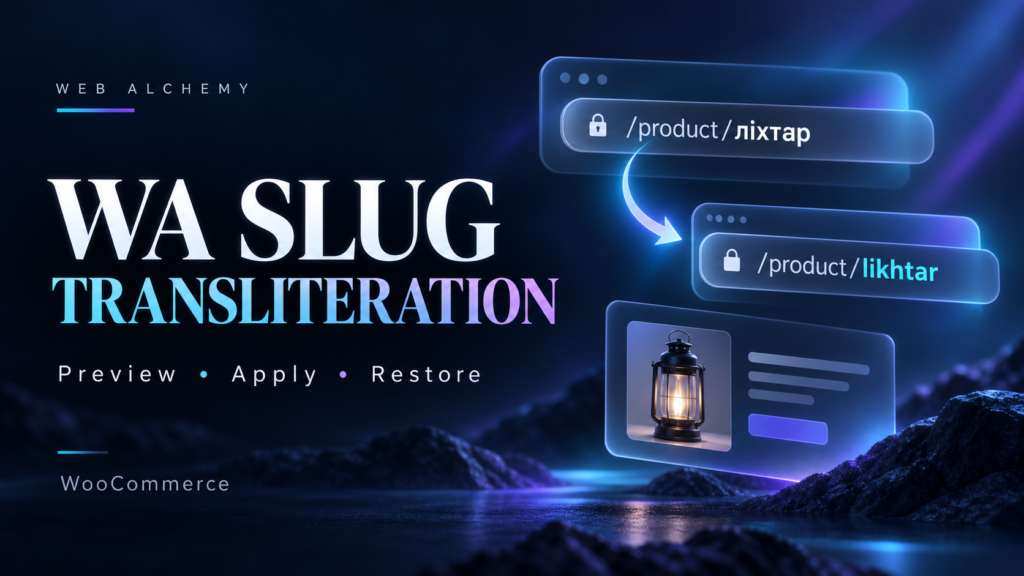
Convert Ukrainian and Russian WooCommerce product URLs to Latin characters from the WordPress dashboard. WA Slug Transliteration first prepares a plan, then applies it in batches. Product names, descriptions, prices, and stock levels are preserved.
What the plugin can do
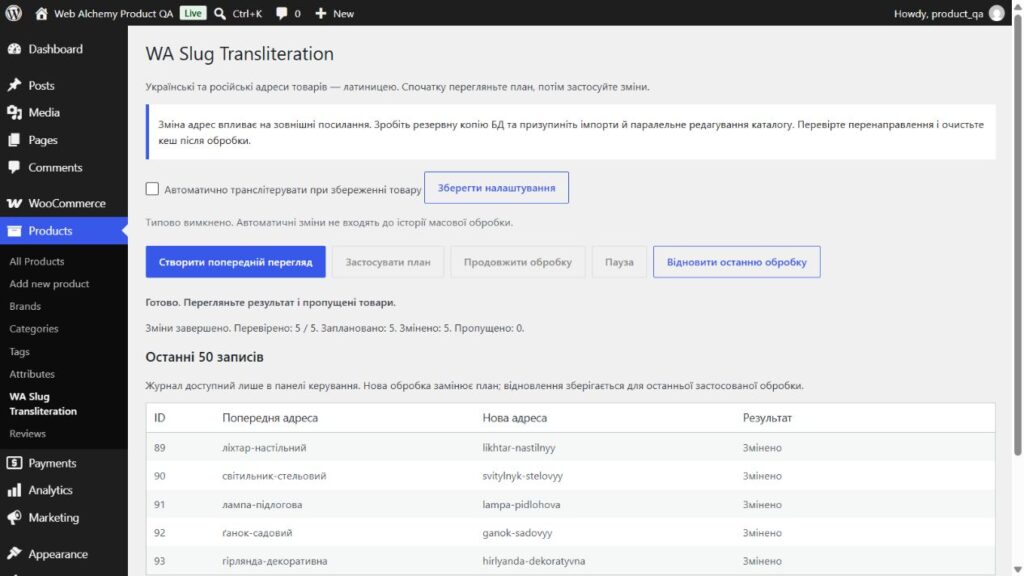
- Preview: compare the old URL with the proposed result before changing it.
- Ukrainian and Russian letters, including Ґ, Є, І, Ї, and Ё. Support for URLs that WordPress stores in percent-encoded form.
- Batch processing of 50 products, with pause and resume after closing the page.
- Rechecking occupied URLs before saving; a numeric suffix for duplicates.
- Protection for manual edits: if the URL changed after preview, the product is skipped.
- Restore the latest bulk operation, with access retained after license deactivation.
- A private log of the latest 50 entries and overall job counters.
- Automatic transliteration when a product is saved, only after the administrator enables it.
Example
The URL “ліхтар-настільний” becomes “likhtar-nastilnyy”. If another product already uses that Latin-character URL, the plugin adds an available numeric suffix. Conversion uses a fixed letter mapping; it is not a translation of names or context-sensitive passport transliteration.
How to get started
1. Install WooCommerce and the inner plugin ZIP.
2. Activate your individual key in the license settings.
3. Back up the database and temporarily pause catalog imports.
4. Generate a preview, check the result, and apply the plan.
5. Check the new URLs and redirects, then clear the cache.
What the purchase includes
An installable ZIP, an individual key in the outer order archive, a user guide, activation and transfer instructions, and technical documentation. One purchase means one active installation; transferring requires releasing the previous one.
Version 1.0.0 limitations
WooCommerce products are processed; categories, pages, blog posts, and variation URLs are not included in this version. The log shows the last 50 entries, not a full export of all changes. Restore applies to the most recently applied bulk operation and skips later manual edits or URLs already in use. Automatic changes made on save are not included in the bulk history.
The plugin does not create server-side 301 rules or guarantee SEO results. After changing URLs, you need to check redirects in your configuration. Version 1.0.0 does not have automatic updates. WordPress and WooCommerce are installed separately; third-party components are not sold as Web Alchemy's own development.
Tested environment
A clean local installation of WordPress 7.1, WooCommerce 11.1.0, PHP 8.2.30, and MySQL 8.0.45 under OpenServer. Code licensed under GPL-2.0-or-later. The accepted release includes a separate report with distribution checksums.
Interface
Product features
- Ukrainian and Russian transliteration
- Preview without changing URLs
- Batches of 50 products, pause and resume
- Checking occupied URLs and manual changes
- Restore the latest bulk operation
- A private log of the latest 50 entries
- Optional Automatic Processing
- One active installation with transfer
Technologies
License
One-time purchase. One active installation. Transfer after deactivation. GPL-2.0-or-later for the source code.
Support
Instructions for installation, batch processing, restoration, activation, and troubleshooting. Automatic updates are not implemented in version 1.0.0.
CTA
Need a version tailored to your business?
Contact us if a ready-made product needs to be adapted to your CMS, CRM, payments, account area or automation workflow.