
16.06.2026
Website speed: how to check Core Web Vitals
Website speed should be assessed by three things, not a single green score: how quickly the main content appears, how the page responds to actions, and whether the interface shifts. Core Web Vitals help measure these aspects. The business goal is broader: visitors should be able to read the offer, choose a product, and submit an inquiry without technical obstacles.
Below, we explain how to read the report, prioritize fixes, and accept a developer's work. This is a verification method, not a measurement report for a specific website.
Material prepared by Web Alchemy.
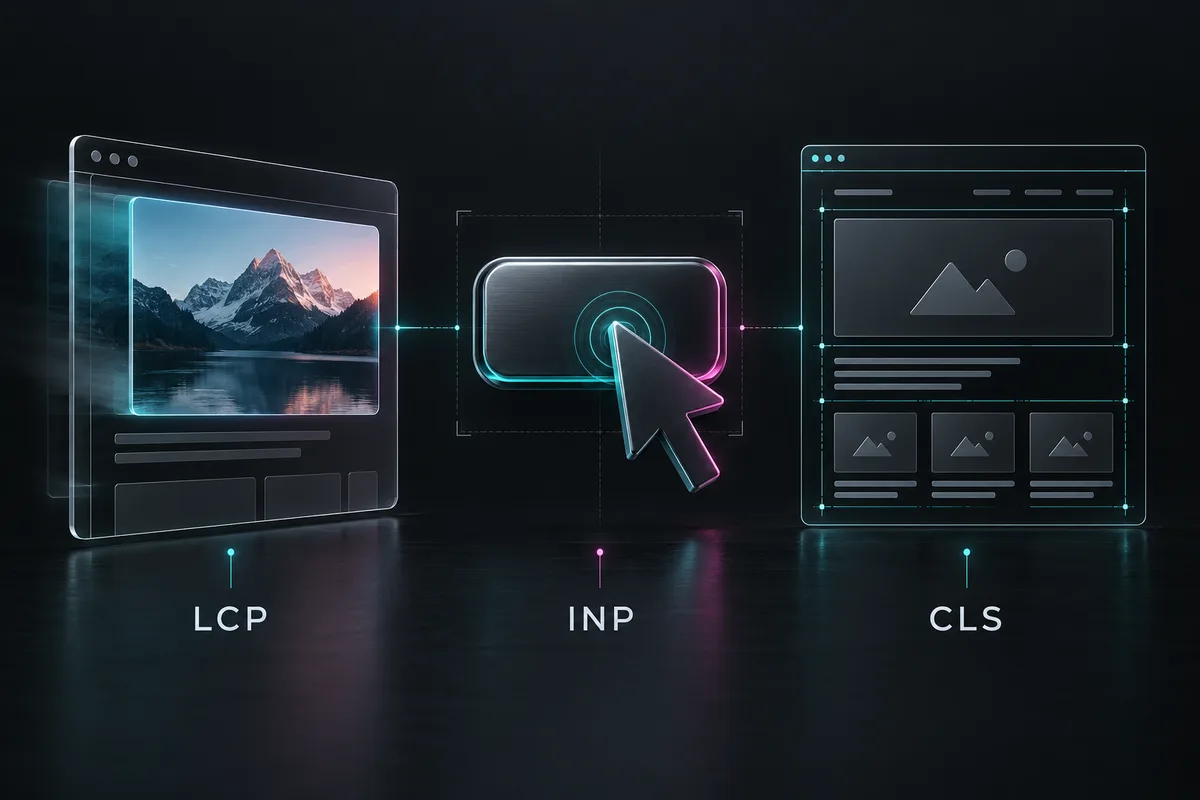
Which Core Web Vitals metrics to check
The current set consists of LCP, INP, and CLS. INP replaced FID in 2024, so a requirement to “improve FID” in an old audit needs clarification. According to the definition of Web Vitals, good values are assessed at the 75th percentile of visits, separately for mobile and desktop devices. This is not the average of a few manual runs.
- LCP: up to and including 2,5 seconds. The time it takes for the largest visible content element to appear. For example, this could be the main product photo or a large block of text.
- INP: up to and including 200 milliseconds. A measure of a page's responsiveness to user interactions: clicks and keyboard input.
- CLS: up to and including 0,1. A measure of unexpected layout shifts. It is not measured in seconds.
Do not confuse interface responsiveness with completion of a server operation. A button may quickly display a loading state while the actual search or shipping calculation is still running. Both stages matter to shoppers, so they should be distinguished in the technical specification.
How to read PageSpeed Insights correctly
Real visits and a lab test
In PageSpeed Insights combines CrUX field data with Lighthouse lab diagnostics. Field data covers the previous 28 days, while a lab run helps reproduce the issue under test conditions. After a fix, today’s test may improve immediately, but the historical window will not update in a minute.
Check whether the report shows the specific URL or the entire origin, meaning the website with its protocol and host. If a particular page has too few visits, the tool may show aggregate origin data. A lack of field data does not, by itself, mean the website is slow or fast.
Why a score of 100 is not the ultimate goal
A lab Performance score is not the same as passing Core Web Vitals for real users. A standard Lighthouse load test does not measure INP without interactions; TBT helps diagnose blocking, but is not a substitute for INP. So a request to “make it 100” is better turned into specific requirements for pages and scenarios.
Google uses Core Web Vitals in its ranking systems, but good scores do not guarantee top rankings. Speed does not replace useful content, relevance to the query, and a clear offer.
Which pages to check first
Do not use only the home page. Make a short list of the templates customers pass through and record one representative URL for each:
- Service website: homepage, priority service page, case study and contact form.
- Online store: a category, a product with variants, search or a filter, the cart, and checkout.
- Account Area or Service: sign-in, the data list, and the main action after authentication.
Include pages already receiving advertising and organic traffic. Keeping their forms, prices, shipping, and payments working is especially important. Test private sections in an authorized test environment; do not publish private URLs or customer data in third-party reports.
For each URL, record the device, login state, analytics consent, and whether it is a first or repeat visit. These conditions help explain why the page behaves differently for the developer and the customer.
What to fix depending on the problem
Main content appears slowly: LCP
First, identify the LCP element in the diagnostics. For an image, check the file size, whether its dimensions match the display size, and when loading begins. According to LCP recommendations, it should not be lazy-loaded. Image compression alone will not help if its display still waits for JavaScript.
Check the server response and render-blocking resources separately. If the problem is server-side, it needs diagnosis, not an automatic move to a more expensive plan. There is a separate article on choosing infrastructure: how hosting affects website speed.
Buttons and Filters Respond Slowly: INP
Reproduce a specific action: opening the menu, selecting a product variant, or typing in search. Check long JavaScript tasks and event handlers. INP Optimization often requires reducing the work in a single handler and splitting heavy tasks so that the browser can display the interface response.
Reducing code must not remove necessary business logic. After changes, test invalid input, repeated clicks, an empty search response, and a slow request. Users need to understand whether their action was accepted and what happens next.
Content Shifts While Reading: CLS
Look for images without reserved space, late-loading inserts, and font changes. CLS Recommendations include explicit media dimensions and predictable space for dynamic sections. You need to check page scrolling too, not just the first screen.
For example, a delivery banner should not suddenly push the buy button away just as someone is about to press it. This is an illustrative testing example, not a measured result from one of our clients.
WordPress, WooCommerce, and OpenCart Specifics
Do not install several optimization tools at once without understanding their functions. First, list which tool caches HTML, modifies JavaScript, compresses images, and manages the CDN. This helps avoid conflicting settings and simplifies rollback.
For a store, agree separately on caching rules for personalized pages and sessions. Do not apply general HTML caching to the cart, checkout, or account area without tested support for those scenarios. In WooCommerce, refer to the actual assigned store pages, not just standard URL names.
On OpenCart, account for custom modules and modifications; on WordPress, also consider the theme and builder. Test both guest and logged-in users: an impressive homepage test does not prove that catalog filters or checkout still work.
In the BozzLife case study describes work with OpenCart, custom logic and optimization. The scope of this project shows why store performance should be considered alongside its functionality. This article does not contain a new measurement of BozzLife's metrics.
Optimization acceptance checklist
- Defined scope. There is a list of URLs, templates, and actions included in the work.
- The baseline has been saved. A backup and test results with dates and conditions are available before changes.
- A clear reason. Each fix includes the problem, expected effect, and verification method.
- The comparison is reproducible. The before and after tests use the same URLs, device profile, and test conditions; a single best run is not presented as the overall result.
- The mobile version has been tested. Text, images, menus and buttons do not overlap.
- Core flows work. Search, filters, the form and a test order have been checked; real charges are not needed for technical testing.
- The cache does not mix sessions. Different test users have their own carts, account areas, and sign-in states.
- Measurement is not broken. Once consent is granted, the required events arrive once; opting out of optional tracking is respected.
- Field results are separated from lab results. The report labels the source, period, and URL or origin level.
- There Is a Monitoring Plan. Agreed when to repeat the check, who responds to a regression and how to restore the previous version.
What is needed to estimate the cost of work
Send the website address, CMS, problem pages and a description of what users notice. PageSpeed Insights reports and a list of recently added modules are also useful. Hosting or payment service passwords are not needed in the initial request.
The scope depends on the number of different templates, custom integrations, the condition of the theme and the complexity of testing orders. Agree separately on diagnostics, implementation and post-release checks. It is better to spend the budget on a proven user obstacle than on a cosmetic one-point score improvement.
View Web Alchemy services and SEO promotion and website audit. An initial task description can be prepared through AI consultant, while contact the team is best done with specific URLs and scenarios already in hand. This lets us propose a verifiable work plan without promising a fixed position in Google.